How to Book a Flight Using Alaska Airlines Mileage Plan Miles — A Step-by-Step Guide by Pointrs
Booking a flight with Alaska Airlines Mileage Plan Miles can feel tricky if it’s your first time. That’s where Pointrs comes in — we guide you through the process so you can secure your award flights quickly and confidently. Follow our step-by-step instructions below.
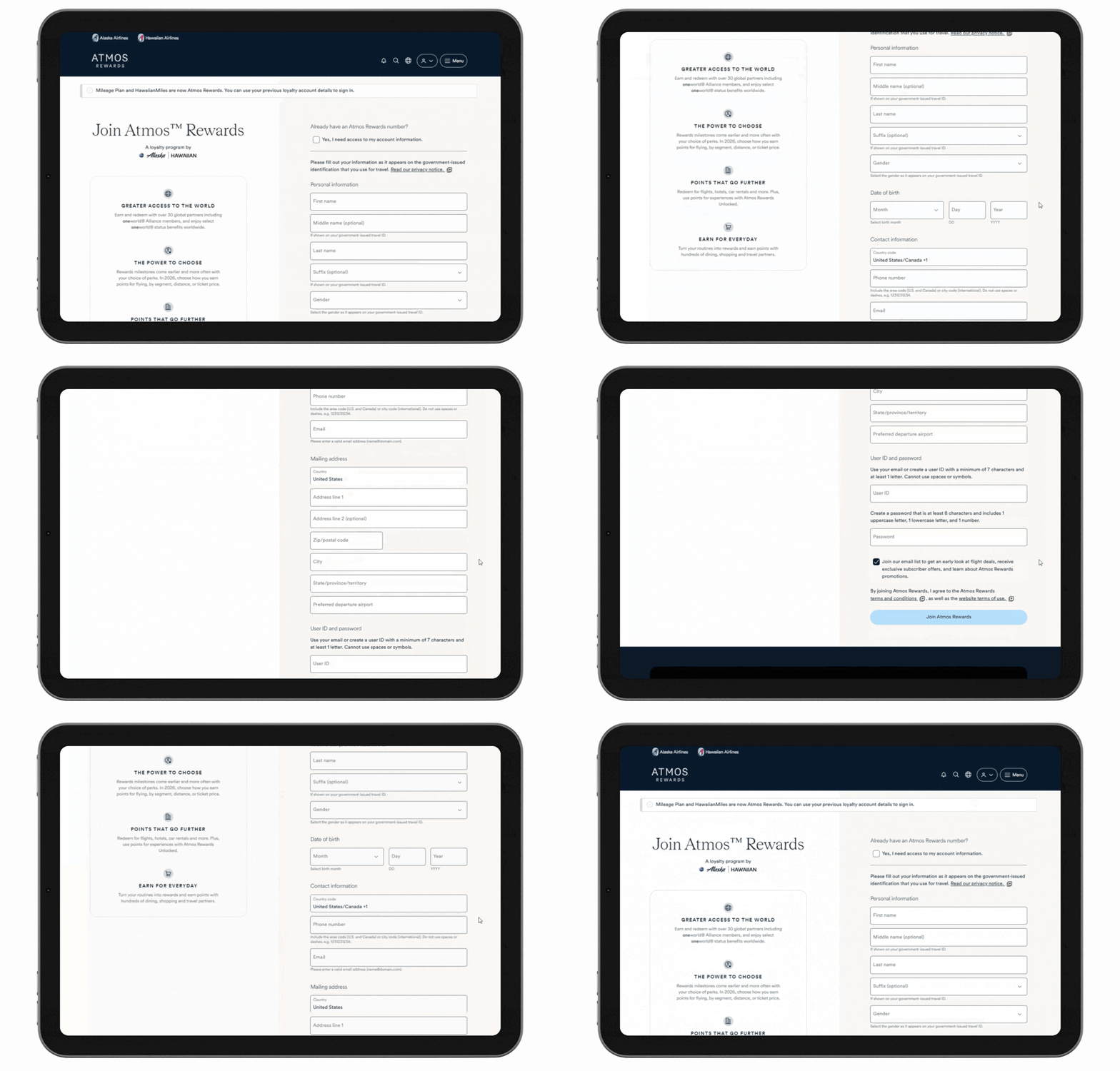
Step 1: Sign Up for an Alaska Airlines Account
If you don’t have an Alaska Airlines–Hawaiian Airlines Atmos Rewards account, sign up for free.
Sign up here
Step 2: Go to the Alaska Airlines Website
Navigate to the official Alaska Airlines website to start your flight search.
Click here
Step 3: Log In to Your Account
Log in to your Alaska Airlines–Hawaiian Airlines Atmos Rewards account to access your miles.
Login here
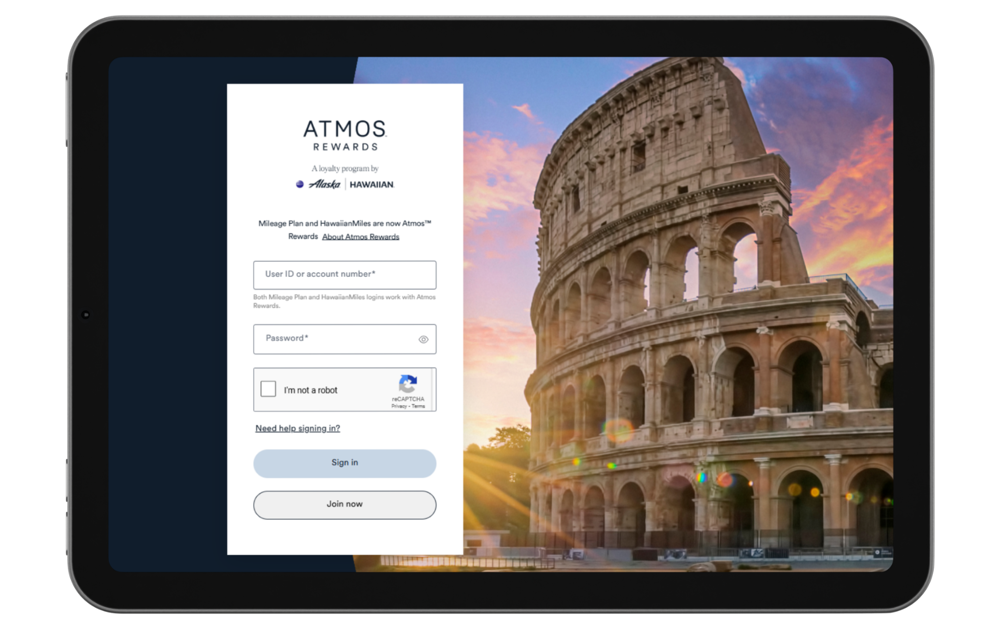
Step 4: Access the Flight Booking Page
Under Menu Click “Book” → Reservations → “Flights” to start searching for award flights.
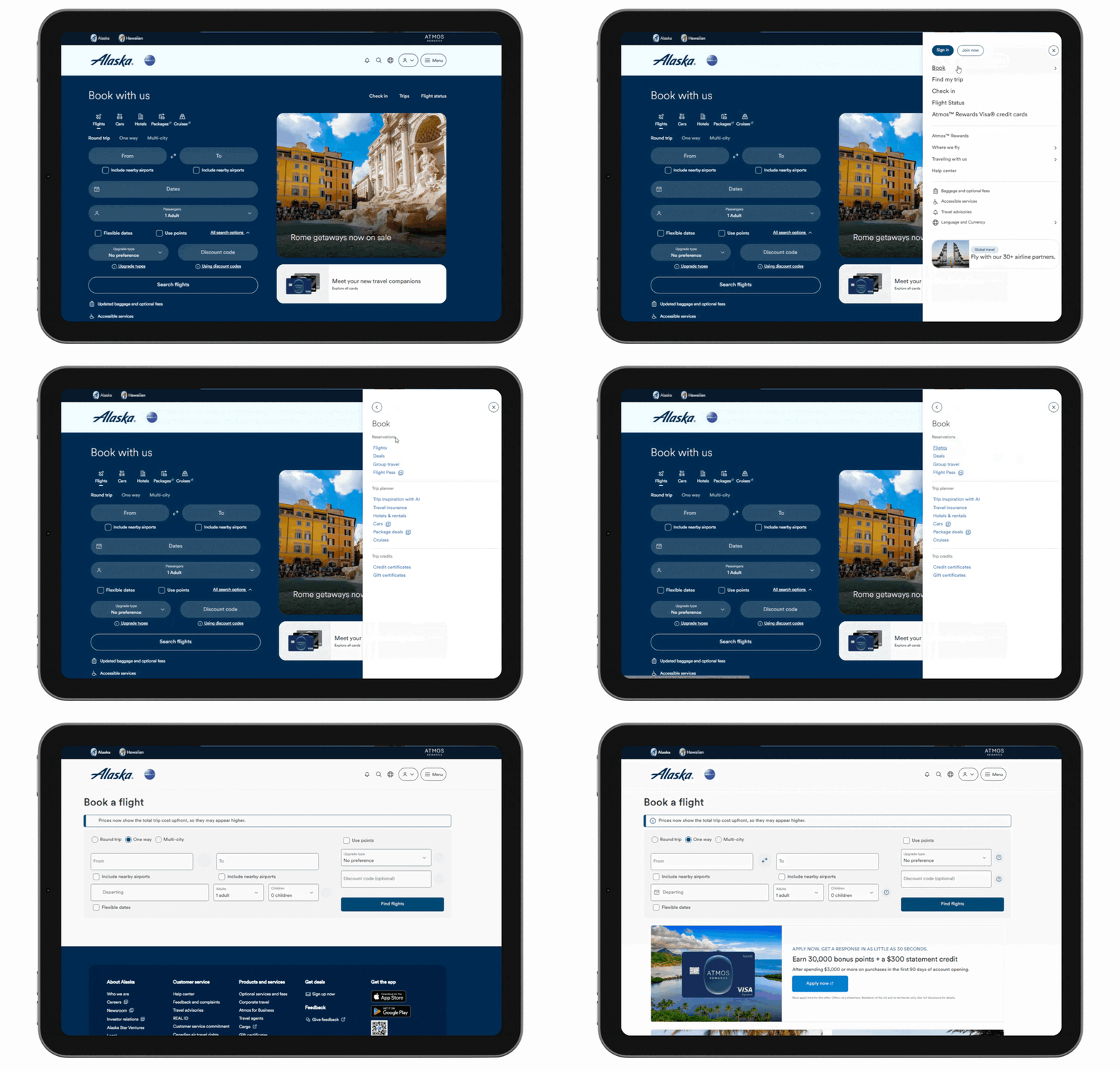
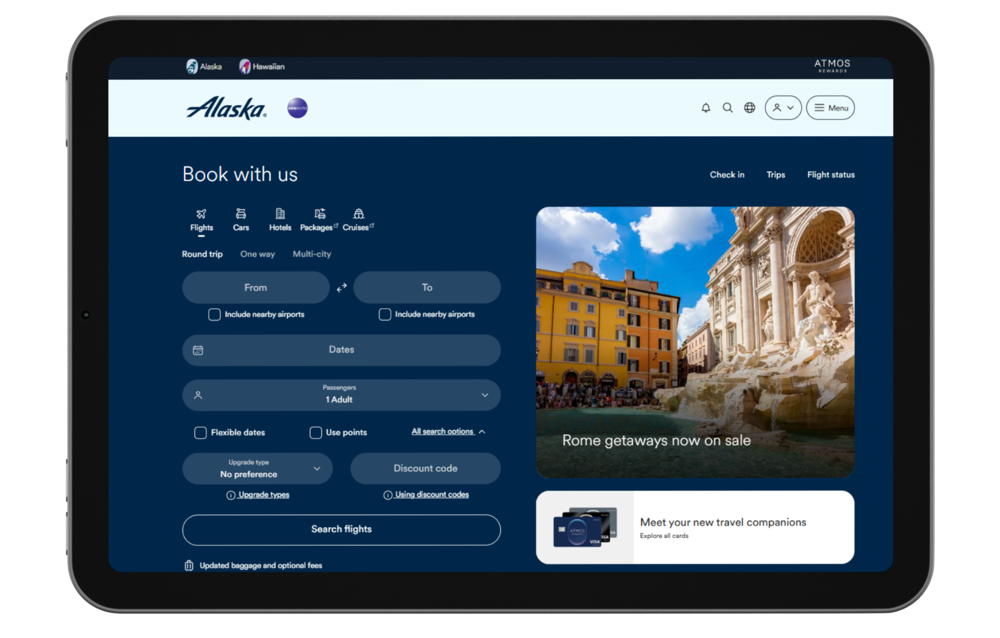
Step 5: Enter Your Flight Details
Fill in your departure and arrival airports, travel dates, and the number of passengers.
Tick “Use Points” before clicking “Find Flights.”
Step 6: Adjust Your Search If Needed
If no flights appear, try different dates or routes.
You can also use “View by Calendar” to make your search easier and spot the best mileage deals.
Step 7: Select Your Flights
Choose the flights you want and click “Add to Cart.”
Tip: Flights with a seat icon indicate a mixed cabin itinerary (lower-class segment on one leg). Hover over the icon to check.
Step 8: Review Your Flight Summary
Check your itinerary carefully. Your flight summary shows the flights, total miles required, and taxes/fees.
Once everything is correct, click “Next.”
Step 9: Enter Passenger Information
Fill in all passenger and contact details.
Pointrs reminds you that you can book for yourself or another traveller.
Step 10: Confirm and Purchase Your Flight
Review all information one last time, enter payment details for taxes/fees, and click “Purchase.”
You’ll receive your confirmation email immediately.
Step 11: Booking for Others
Note: Award bookings can be made for yourself or anyone else — you don’t need separate accounts.
Step 12: Booking Online
Note: Most award bookings can be completed entirely online, making it fast and convenient.
Step 13: Plan Ahead
Note: Award flights generally open 331 days in advance — planning early gives you the best chance of securing the flights you want.
Step 14: Check Customer Service if Needed
Note: If no availability shows online but another loyalty program has seats on the same dates, contact Alaska Airlines customer service. Sometimes online availability is temporarily restricted or delayed.
💡 Good to Know: Alaska Airlines Mileage Plan Booking Tips
You can use your Alaska Airlines Mileage Plan miles to book flights for yourself or for others — there is no restriction on booking for family members or friends.
Award flights on Alaska Airlines and most partner airlines (including Japan Airlines, Cathay Pacific, American Airlines, and Qantas) can usually be booked online through the Alaska Airlines website, making the process simple and convenient.
✨ Pro Tip: Get More Value from Your Alaska Mileage Plan Miles
✈️ Best value: Business and First Class redemptions on Japan Airlines and Cathay Pacific.
📅 Book early for premium cabins, especially during peak travel seasons.
💰 No fuel surcharges on most partner awards, keeping cash costs low.
🌍 One-way awards allowed, making it easy to mix and match partner airlines for flexible routes.
🌏 Make Your Alaska Mileage Plan Miles Work Harder
With smart planning and the right partner airlines, Alaska Mileage Plan miles can unlock exceptional flight value — from short-haul US trips to luxurious long-haul Business and First Class experiences across Asia, Australia, and Europe. Plan ahead, choose your partners wisely, and let your miles take you further.